Run Your Entire Trucking Business From One Platform
Dispatch freight, manage customers, create paperwork, send invoices, accept payments, build contracts, onboard carriers, and find your next load—all from Trulos.
One login. One connected platform. Built for the people who actually move freight.
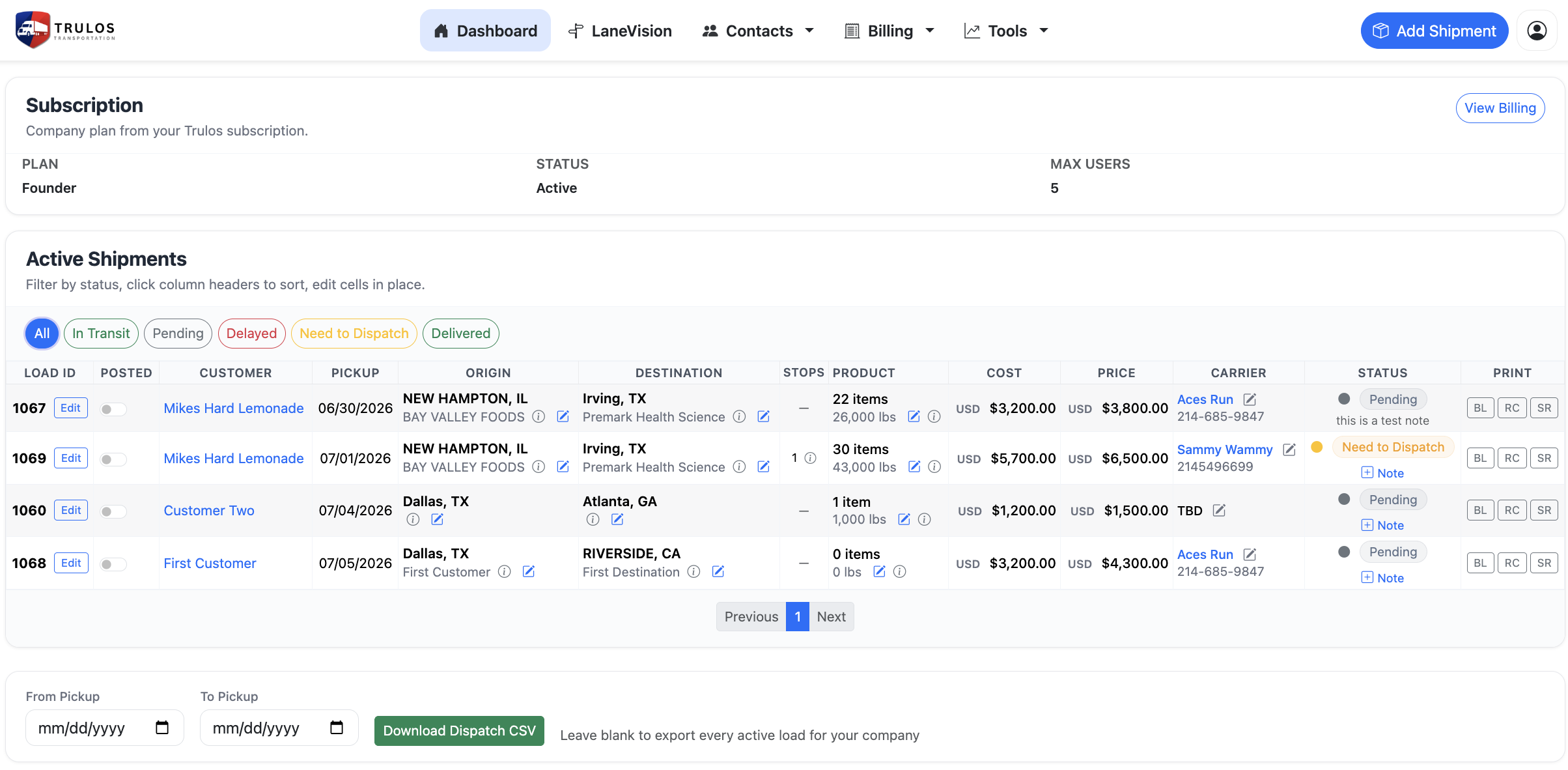
Freight Operations Without the Chaos
Manage every load from booking through delivery without switching between spreadsheets, email threads, text messages, and disconnected applications.
- Create the shipment
- Assign the carrier, driver, truck, and trailer
- Generate paperwork
- Track the load
- Invoice the customer
- Record carrier or dispatcher payments
Everything on the load, in one place
Dispatchers
Manage client freight, carrier assignments, dispatcher fees, invoices, and payments.
Carriers
Manage customers, trucks, drivers, shipments, documents, invoices, and collections.
Brokers
Manage shipper freight, carrier assignments, quotes, rate confirmations, invoices, and carrier payments.
Shippers
Organize outbound freight, work directly with carriers or brokers, maintain contracts, and provide payment options.
From Quote to Payment
Trulos manages the complete lifecycle of a shipment—from the first customer quote through dispatch, documentation, invoicing, and final payment.
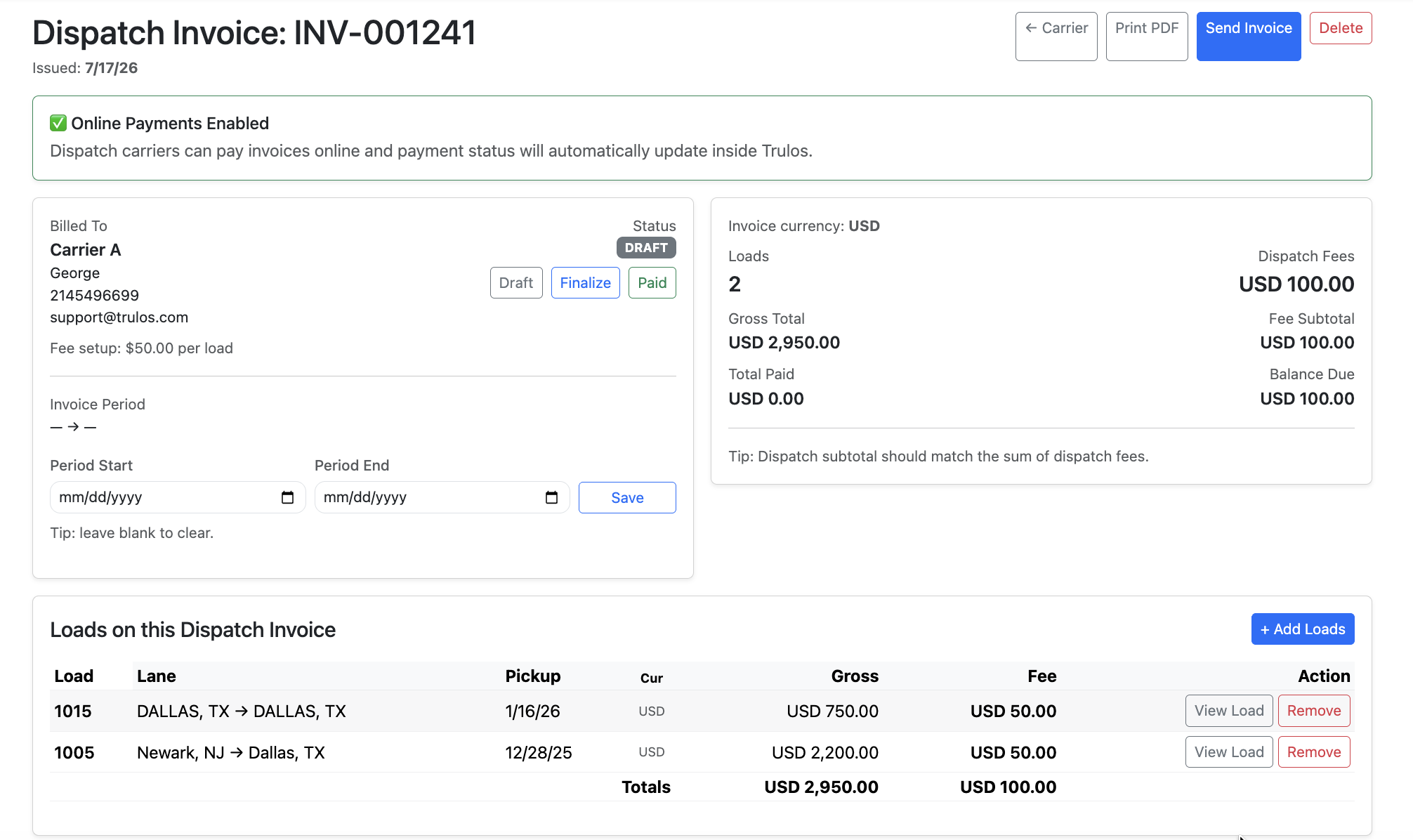
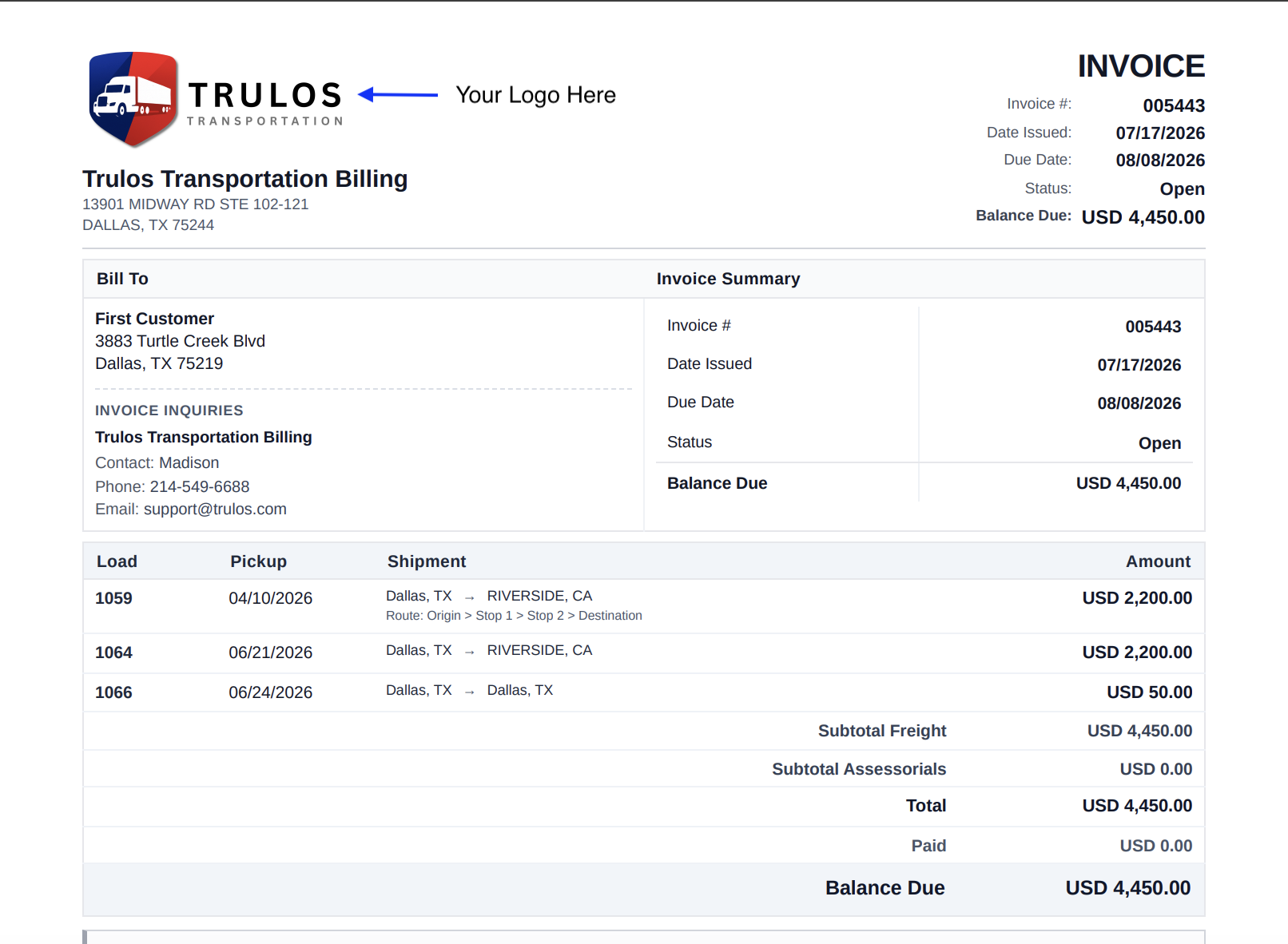
Send the Invoice. Get Paid Faster.
Connect a free Stripe account and turn any completed shipment into a payable online invoice. Customers can pay the current balance by credit card through secure Stripe Checkout.
- Create the invoice from shipment data
- Send a secure payment link to the customer
- Customer pays online by credit card (Stripe Checkout)
- Payment activity is tracked inside Dispatch
- The payment link can be emailed from Trulos or copied into your own email
- Customer payments can be connected to dispatcher and carrier payment records
Online Checkout requests the full current balance. Deposits, advances, quick pay, and other partial amounts can be recorded manually against an invoice inside Dispatch where supported.
Dispatcher
Invoice your clients and track what each customer owes.
Carrier
Invoice brokers and shippers directly from completed freight.
Broker
Give shippers fast, modern payment options.
Track what's invoiced, paid, and still owed
Every invoice keeps a running record of recorded payments so you always know where a customer stands.
QuickBooks Export
Export your invoice and payment activity to QuickBooks—on the roadmap.
Need Your Money Sooner?
Factoring options are available through Integra Funding for eligible trucking businesses that want faster access to cash flow.
- Different program options
- Personal service
- Texas-based team
- Support for trucking businesses
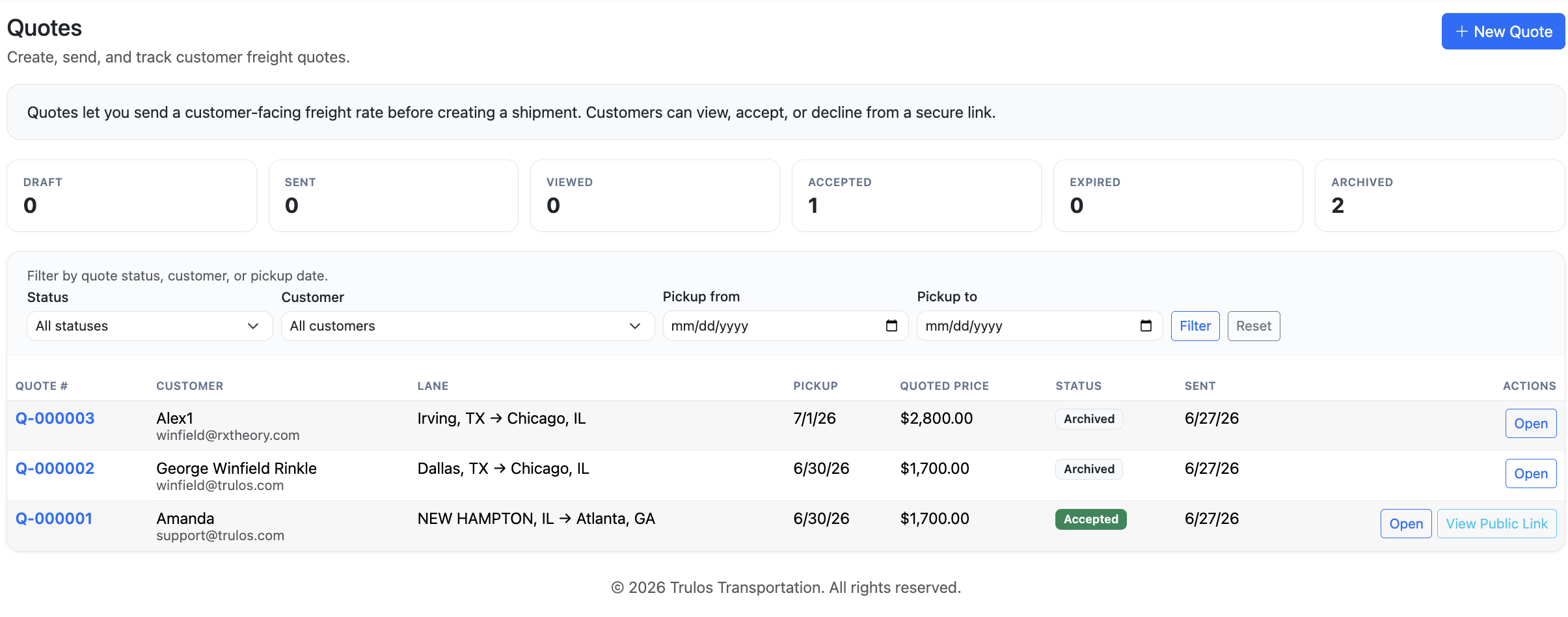
Send Professional Freight Quotes in Minutes
Create a quote, send a customer-facing quote link, and track it from draft to accepted.
Quote emails are delivered through Trulos with replies directed back to the user when Reply-To is configured.
Every Agreement Your Freight Business Needs
Create, customize, store, share, and manage the agreements needed to do business across the freight industry.
Trulos can support carriers, brokers, shippers, dispatchers, and other businesses that need a professional agreement.
Available contract types
Ask Questions About Any Section
Trulos provides document-building tools and is not a law firm. Users should consult a qualified attorney for legal advice.
Your Completed Contracts Stay Yours
Subscribe when you need expanded contract tools, create the agreements your business needs, and keep your completed documents even if you later change plans. Downgrading limits creating new active contracts—it does not delete the documents you have already completed.
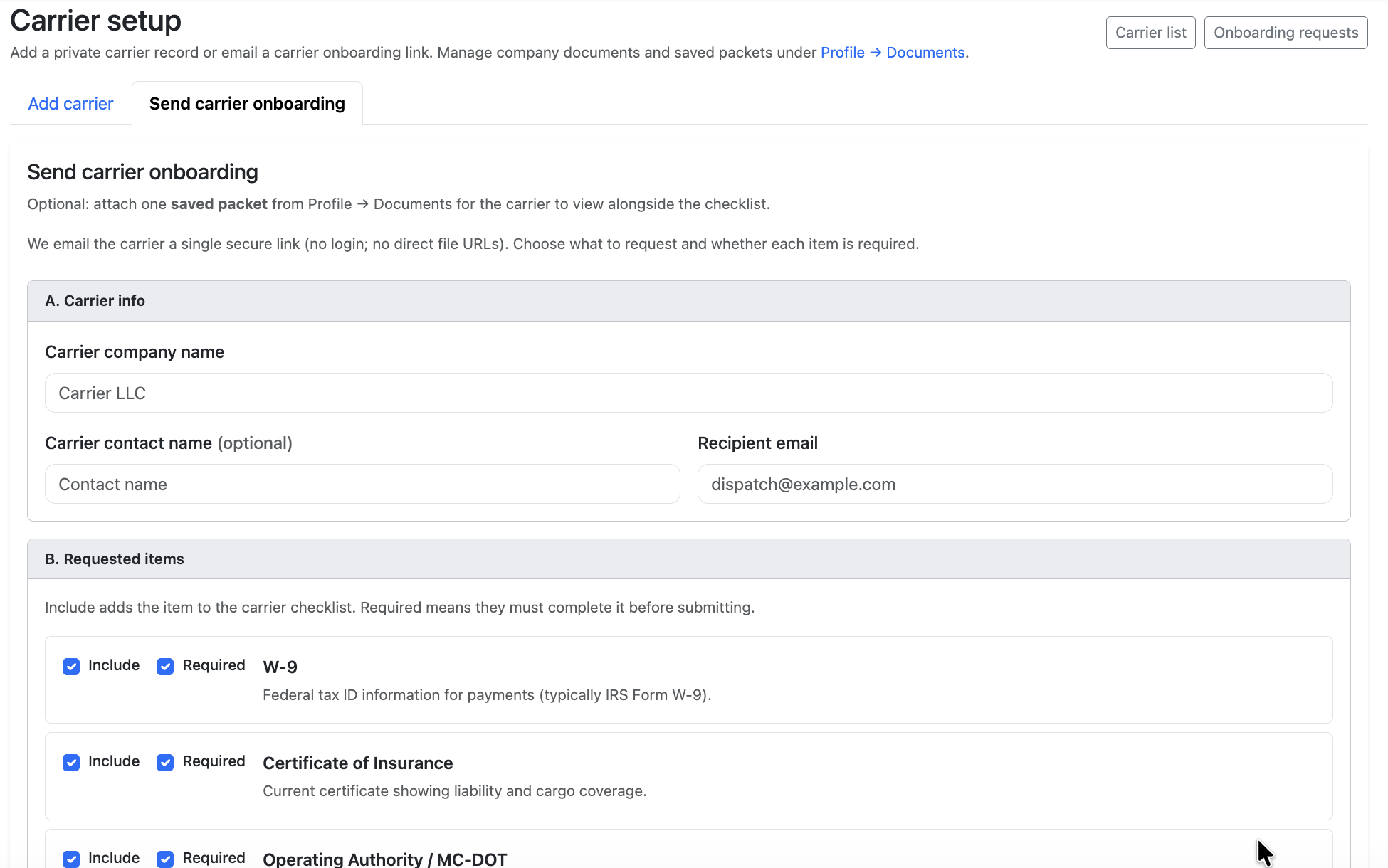
Bring New Carriers Onboard in Minutes
Stop chasing paperwork through email.
Send one secure onboarding link and collect the documents and company information needed before a carrier begins hauling freight. A carrier can complete the secure onboarding flow without creating a Dispatch account.
More tools that keep freight moving
Load posting, freight activity, backhaul planning, and IFTA—connected to the same workflow.
Post Freight Without Entering It Twice
Create the shipment in Dispatch and post eligible freight to the Trulos Load Board from the same workflow.
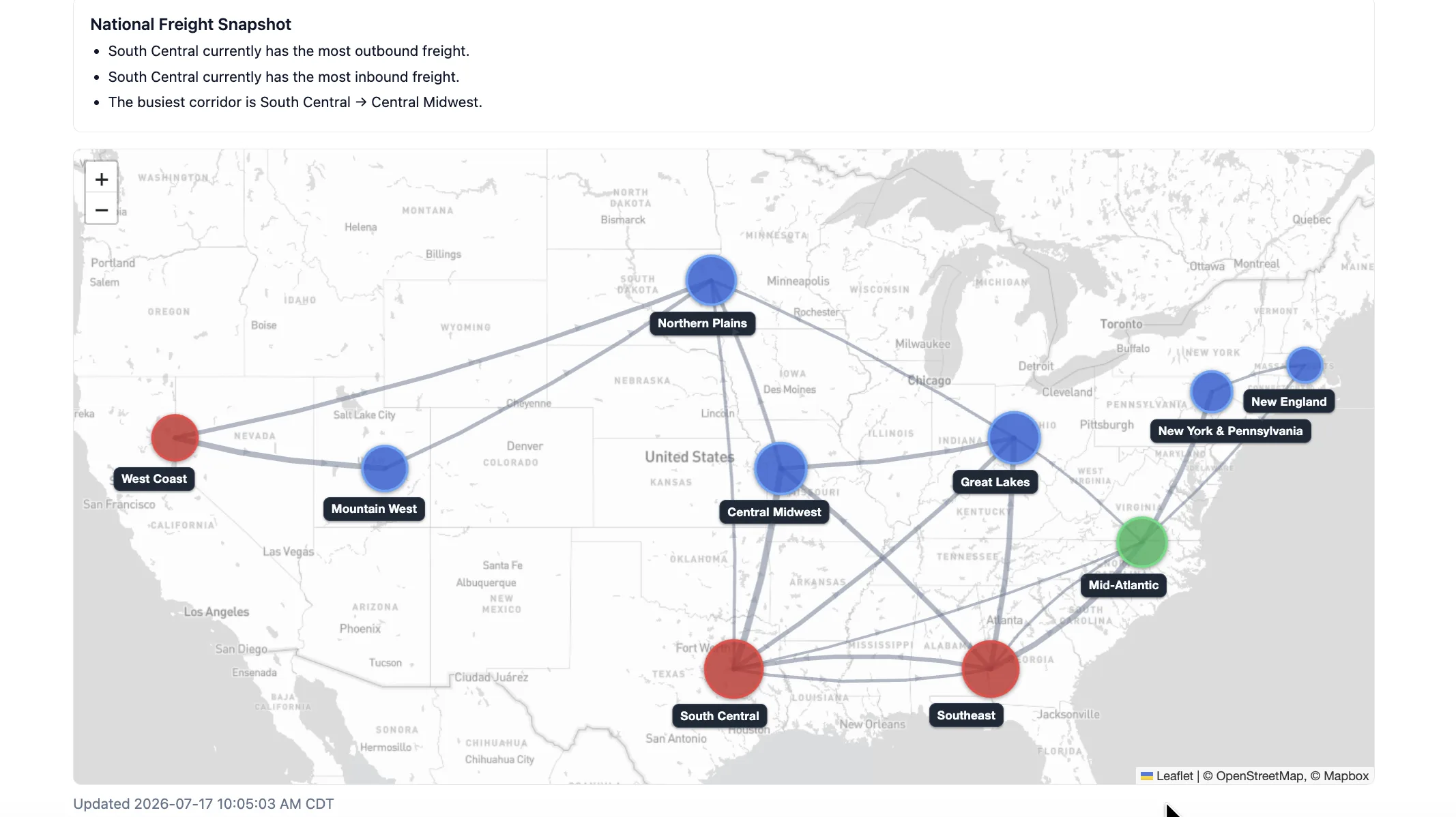
See Where Freight Is Moving
Freight Pulse · Freight Activity Intelligence
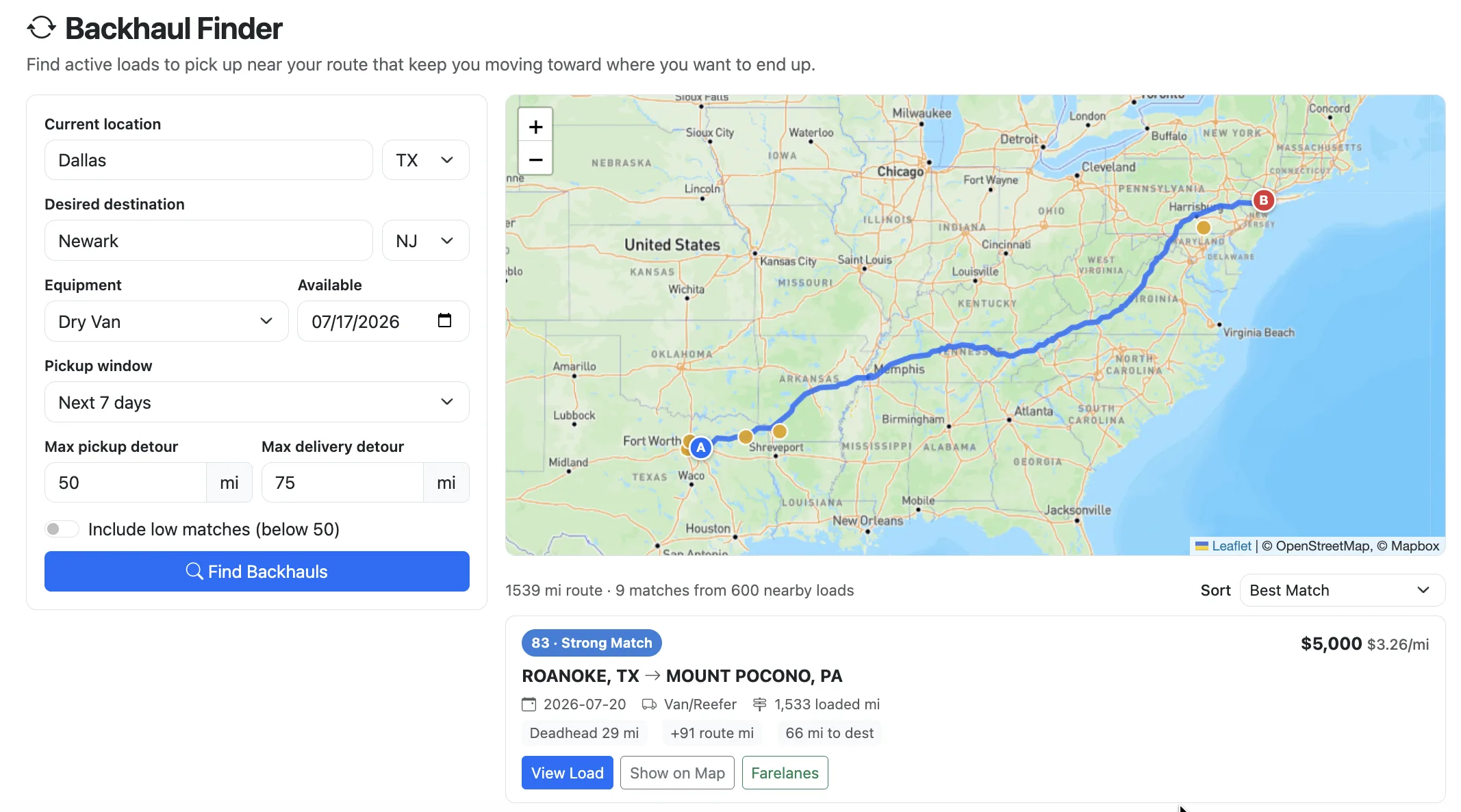
Find Freight Along the Way Home Beta
Enter the truck's current location, intended destination, and equipment type to identify loads that fit the route.
Make IFTA Reporting Less Painful
Use Trulos IFTA mileage tools to calculate and organize route-based state mileage for IFTA reporting.
Dispatch Wherever the Day Takes You



Start free. Grow when you're ready.
Pick the plan that fits how you run freight. Full plan details and pricing live on the membership page.
Free
- Core dispatch tools
- Load management
- Customer and carrier records
- Documents
- Trulos Load Board integration
Founder
Popular- Expanded business tools
- Contract access based on current entitlements
- Higher usage limits
See full plan details, limits, and pricing on the membership page.
Stop Running Your Business Across Five Different Apps
Bring dispatch, customers, carriers, documents, invoices, payments, contracts, quotes, and freight tools into one connected platform.